Swipeclock - Manual Accrual Adjustment
Created
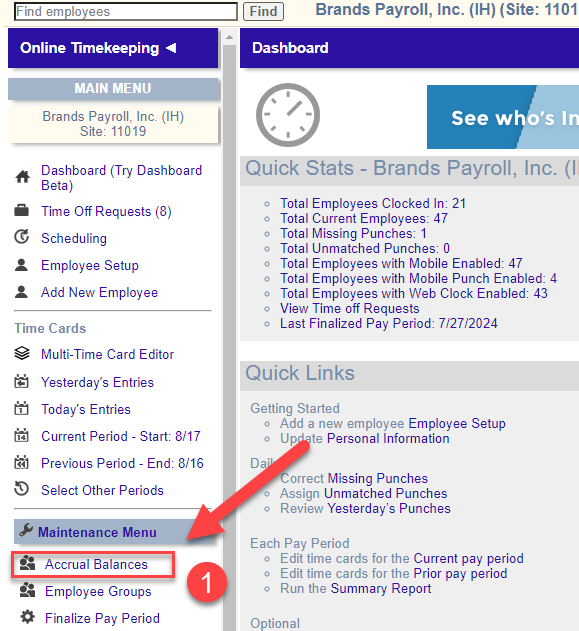
- In the Maintenance Menu, select "Accrual Balances"
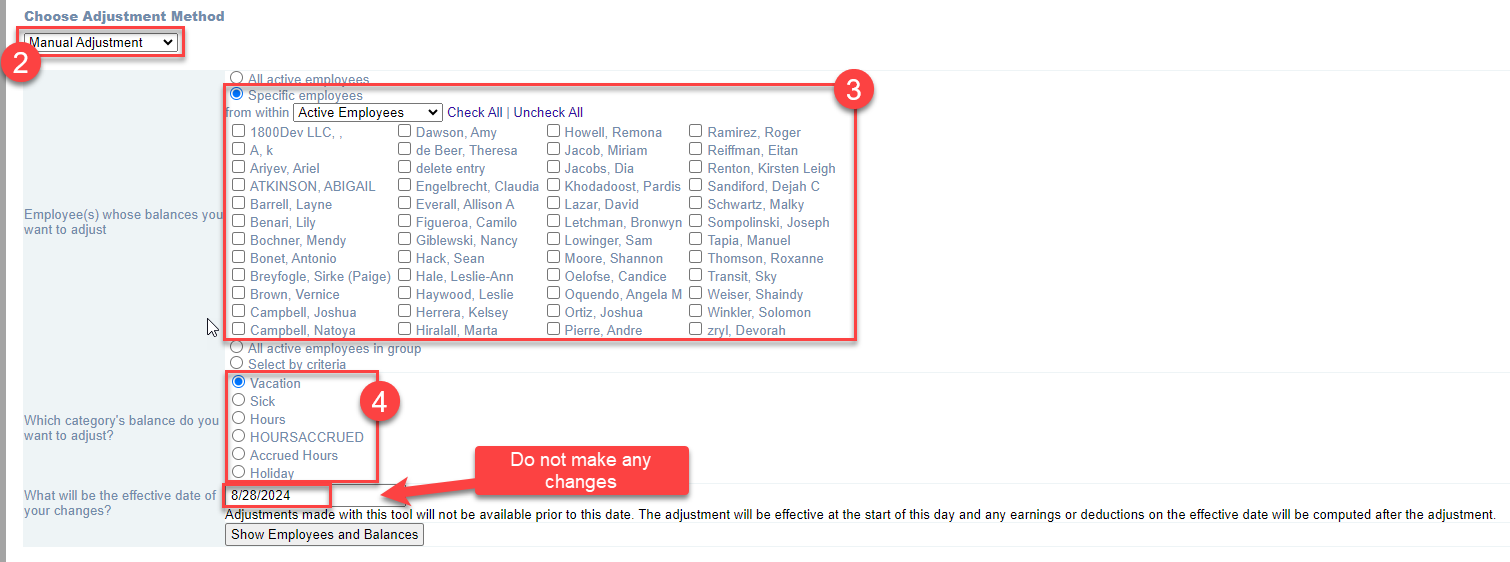
- Select "Manual Adjustment"
- Select the employee to be adjusted
- Select the PTO type
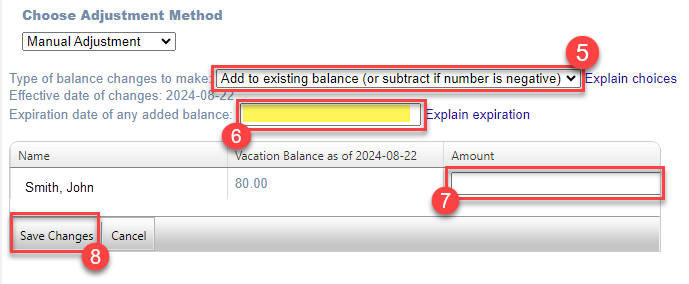
- Select "Add to existing balance" to add or deduct hours / "Change balance" to replace total existing balance
- ALWAYS add an expiration date - typically the day before the employee's anniversary unless otherwise agreed upon
- Enter the total hours to be added. Enter a negative to deduct
- Click "Save Changes"
Was this article helpful?